FREE FOUNDATION
Design your home
Start with a floor plan, arrange rooms, and explore your ideas in 3D. This is the starting point for every creator.
See what's new, then switch to the latest version.
Draw every room exactly where it belongs. Pick the colors, fill it with the things you love, and walk through the space before it's real.
Put rooms where you want them, not over the rest of your house.
Explore furniture, floors, paint colors, windows and working lights.
Switch from daylight to evening, orbit in 3D, or walk through.
Current home
Start with a room. Make it feel like yours. The little details matter here.
♡ Select a room to style it, or draw a new room.
For complete instructions, choose ♡ How to use at the top of the page.
See how the house looks throughout the day. Add lights from the catalog, then switch them on in individual rooms.
Lighting is a visual design preview, not calibrated architectural lighting. Fixtures must be on and placed to illuminate their rooms.Saved privately in this browser. Use Save file to move your plans between devices. This independent build does not automatically transfer plans from another website.
Keep each home you dream up. Reopen, rename, duplicate and back up your designs without starting over.
Loading saved homes…Every room has a story. Give it a feeling, a wish, and its most beautiful hour, then follow your own constellation through the house.
⌂ My home · 0 chaptersNot every space begins with a blueprint. Sometimes it starts with a feeling, a person you miss, a little hope, or the kind of morning you want to wake up to.
You can skip every prompt. This isn't a test.Write as little or as much as you want. No perfect words required.
Choose a room to give it a feeling, a memory, and a dream.
Memories, dreams, tiny joys, or a letter to the home you haven't finished yet.
These remember the care you put into your home. They never gate your own Heart tools.
Your Heart Points live inside this saved home as a record, not a lock.
Every thought starter is yours from the beginning.
Every journal color theme is available from the start. Heart Points can grow with your home without deciding what you are allowed to use.
Share inspiration, welcome a friend's blueprint, and celebrate small creative wins. No rankings, no pressure, no public journal entries.
Make a link that someone can open in Build by Heart. They can see the layout, furniture, paint and openings, then add a copy to their own House Library.
Paste a Build by Heart link from a friend. Preview first, then choose whether to save a separate copy. Your existing home won't be overwritten.
Only links you choose to bookmark appear here, on this device. This isn't a public gallery yet.
Try a challenge when it sounds fun. Mark it explored to earn gentle Heart Points for the current home. Never any deadlines.
Quiet milestones, not follower counts. Unlocks are for you, not a competition.
Loading your activity…
Local counts work without opting in. No journal, house names, URLs or personal writing are tracked. The owner's Studio can show these local counts; sitewide custom events require a supported analytics plan or backend.
Community link sharing and bookmarks work now. A searchable public gallery, user accounts, likes and comments are not live; those require protected storage, moderation and reporting controls before launch.
Discover the tools that help your ideas grow. Choose the plan that fits you, with the Workshop staying a separate creative space.
Explore the core house builder and regular Walk Mode without a subscription.
Advanced design features, Room Flow & Fit Check, enhanced walkthrough tools, and the custom furniture Workshop.
Explore actual Build by Heart screens and features. The examples below open the real parts of the app, not a separate demonstration.
Start with a floor plan, arrange rooms, and explore your ideas in 3D. This is the starting point for every creator.
Work with individual boards and parts, customize materials, and save handmade designs to your collection.
Premium is designed for deeper layout planning and advanced walkthrough experiences as those tools become available.
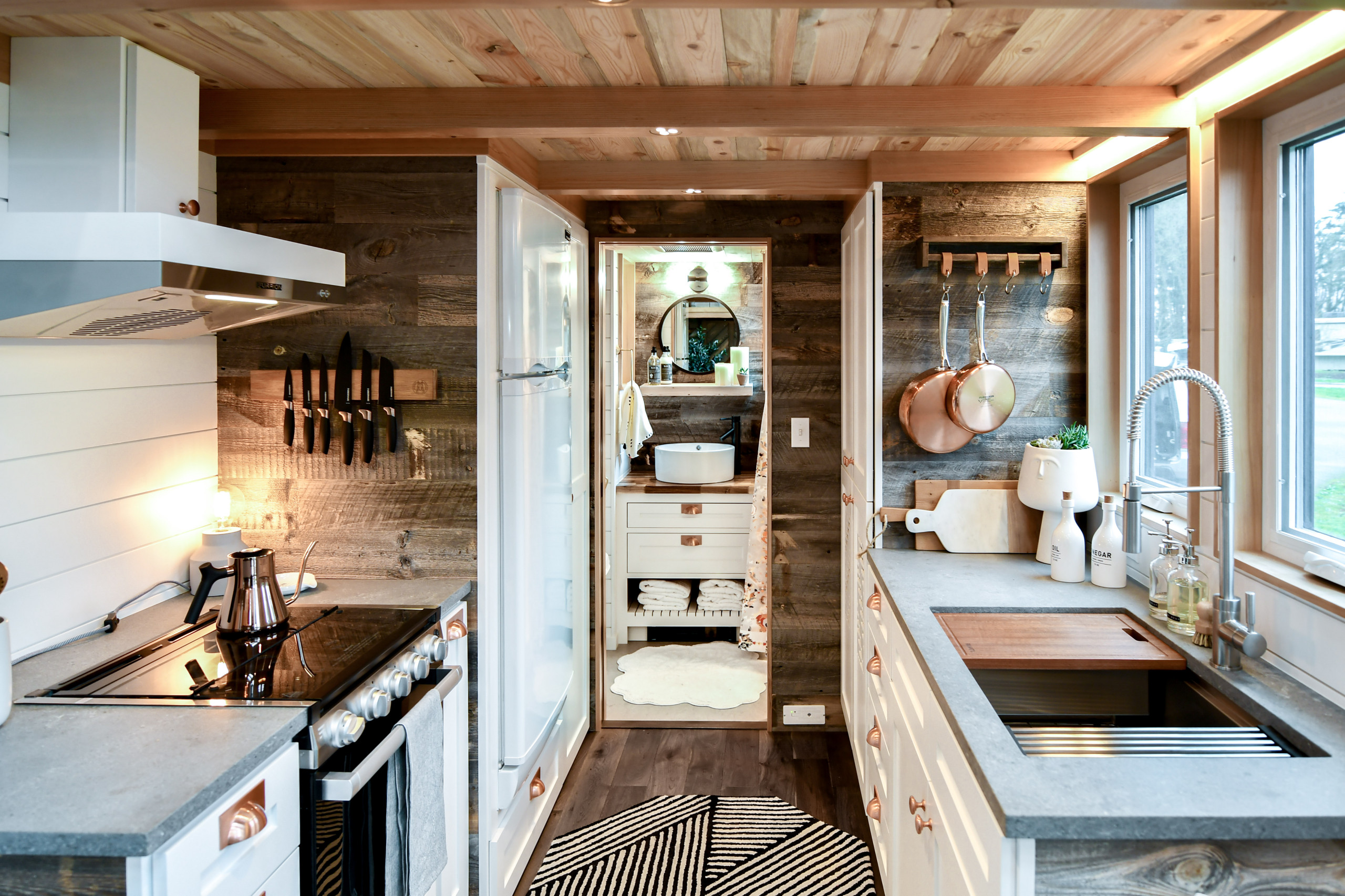
The kitchen image is an approved inspiration photograph, not a screenshot of a live builder session. Workshop and walkthrough panels are labeled illustrations, not screenshots. Features still in development may change before release.
Make your own furniture from individual pieces. Cut boards, drill pilot marks, resize dowels, combine materials and keep every design. No prebuilt-only rules.
Checking your access…
One complimentary access pass has been reserved for Esme’s Fresh Eyes account. The pass unlocks Premium previews, never website editing.
A free 14-day browser trial does not request a card or charge you. If you subscribe later, Stripe securely manages your payments and cancellation. Workshop beta access does not transfer between devices yet.
Core house planning, starter furniture, Heart Points, and community inspiration. Your current beta builder remains available while tier limits are prepared.
Full Premium access includes Room Flow & Fit Check, advanced walkthrough tools, the custom Workshop, and new Premium experiences as they launch. Core building and regular Walk Mode remain free. Payments use Stripe once connected.
You can explore Premium workshop features freely and help catch things that need improvement. You cannot access Owner Studio, change the live website, or publish updates.
Start with an empty workbench. Swipe through the tools across the top of the workbench, then build and refine your pieces in the spacious 3D area below.
Start from raw supplies. Every board, stick, rod and bracket is individually adjustable.
Drag to orbit. Scroll or pinch to zoom. Use the controls to cut, size, move, rotate, and assemble.
Realistic wood grain and metal materials are applied to your custom construction pieces. These are editable 3D meshes, not purchased prefabricated furniture. Exact joinery, engineering-grade booleans and machine tool simulations are future upgrades.
One approved inspiration photo, plus room ideas you can create with the builder. No substitute photographs.
Warm wood tones, a softer palette and light that feels natural.
A comfortable place to gather, with warm light and soft finishes.
Quiet colors, layered light and room to breathe.
Soft surfaces with a glowing mirror and thoughtful details.
See exactly what changed when a new version is published.
Choose a finish to place this piece in your home. Every option is available.
Cozy · Golden hour
A space to call your own.